
LocalNanny
Turn any network camera into a private baby monitor. No cloud, no subscriptions.
Free to try · One-time purchase

For iPhone and iPad
Why LocalNanny?
Save Money
- One-time purchase, no subscriptions ever
- Apple Family Sharing - buy once, whole family gets it
- Use affordable cameras you may already own
- No separate monitor screen — use the iPhone you already carry
Complete Privacy
- Video stays on your local network
- No cloud servers involved
- Ultra-low latency — video never leaves your house
- No one else can access your feed
Simple & Reliable
- ONVIF auto-discovery makes setup easy
- Internet outages don't affect monitoring
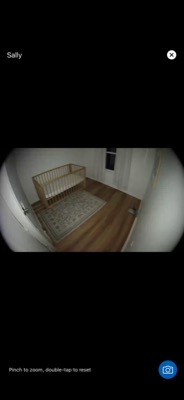
- Stream up to 4K from any compatible camera
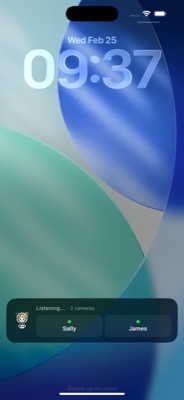
- Background audio monitoring (Premium)
How It Works
Get a Compatible Camera
Use an affordable Amcrest, Lorex, or Reolink camera (or any IP camera with RTSP streaming). Many cost $30-80, far cheaper than traditional baby monitors. See compatible cameras.
Download LocalNanny
Download the app from the App Store. Start with one camera for free — includes a 60-second background audio preview. Unlock Premium for unlimited cameras and unlimited background audio.
Auto-Discover Your Camera
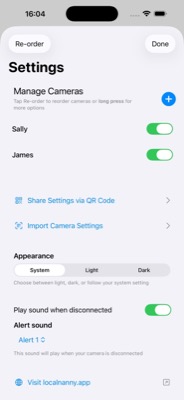
LocalNanny automatically finds cameras on your network using ONVIF — just tap to connect. You can also add any RTSP camera manually if needed.
Start Monitoring
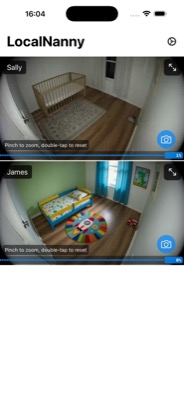
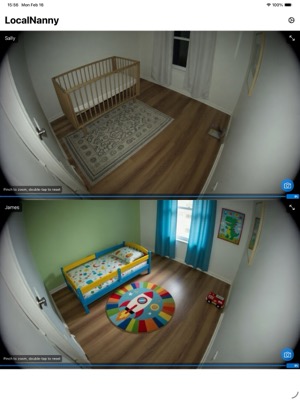
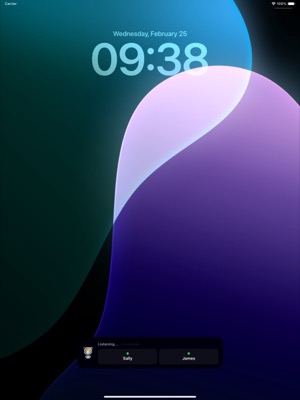
Watch your baby in crystal-clear video. Share settings with your spouse via QR code. Enable background audio to hear your baby even when using other apps.
Features
100% Private & Local
Your baby's video never leaves your home network. No cloud services, no strangers watching your feed. Complete peace of mind.
No Subscriptions
One-time purchase, no monthly fees ever. Use affordable cameras you may already own instead of expensive proprietary monitors.
Easy Setup
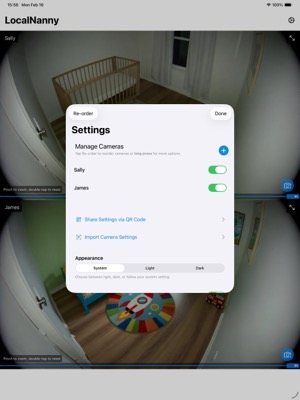
ONVIF auto-discovery finds cameras on your network automatically, or add any RTSP camera manually. Share settings with your spouse, your in-laws, or your babysitter via QR code, iMessage, or AirDrop.
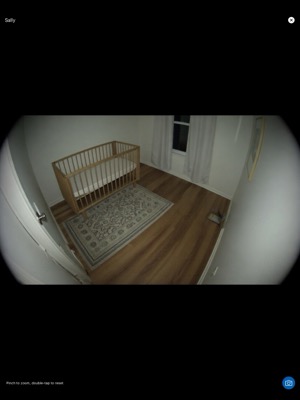
See LocalNanny In Action
iPhone
iPad
Frequently Asked Questions
What is LocalNanny?
LocalNanny turns affordable network cameras into a private baby monitor on your iOS device. Unlike cloud-based baby monitors, all video stays on your local network for complete privacy. It supports H.264/H.265 RTSP cameras and uses ONVIF to automatically discover cameras on your network. You can also add cameras manually if needed.
How much does it cost?
LocalNanny is free to download and monitor one camera with a 60-second background audio preview. Premium is a one-time purchase that unlocks unlimited cameras and unlimited background audio. No subscriptions, no recurring fees. Check the App Store for current pricing.
What cameras work with LocalNanny?
LocalNanny works with any IP camera that supports H.264 or H.265 video over RTSP. Most cameras also support ONVIF, which lets LocalNanny auto-discover them on your network. If your camera doesn't support ONVIF, you can still add it manually. We've tested it with Amcrest, Lorex, and Reolink cameras with great results. You might already own a camera that works!